Kaiju Agents
Framework to quickly prototype AI agents in Unity aimed at researchers and educators.
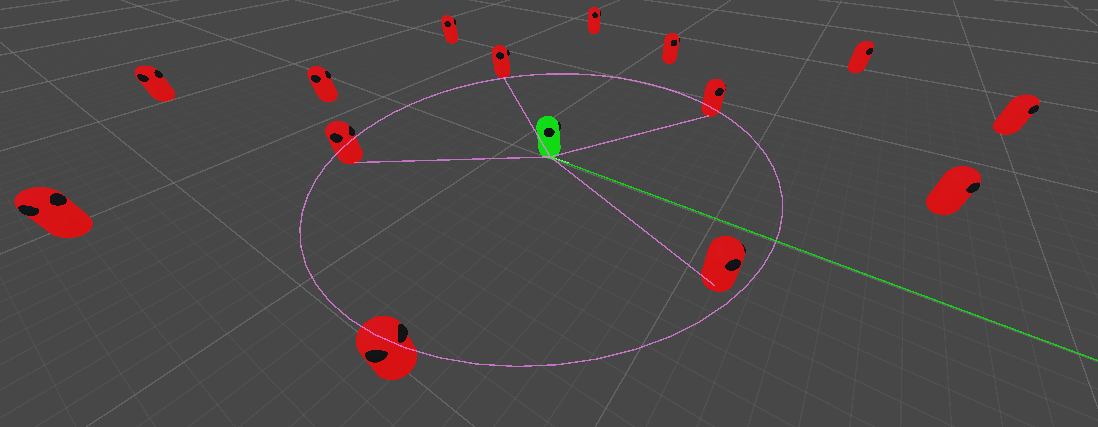
Kaiju Agents provides an easy-to-learn yet powerful framework for developing and testing AI agents, aimed to speed up research and development and for education. Some of the key features of Kaiju Agents are:
- Integration with Unity Behavior and an extension for utility AI.
- Modularized sensor-agent-actuator framework to allow for dynamic agent customization.
- Have sensors run automatically or manually poll them.
- Vision sensors based on line-of-sight and casting provided.
- Casting-based actuator to destroy objects included.
- Full movement and navigation framework.
- Includes seek, flee, pursue, evade, wander, separation, and obstacle avoidance steering behaviours.
- Full navigation and pathfinding built on top of Unity's navigation meshes.
- Multiple agent types.
- Have your agents move via a rigidbody, character controller, navigation mesh agent, or directly with the transform.
- Pathfinding and navigation work with all agents types, not just the navigation mesh agents!
- Have your agents move via a rigidbody, character controller, navigation mesh agent, or directly with the transform.
- Extensive visualizations.
- Highly configurable visualizations for agents and their movements in the editor.
- Implement custom visualizations for your own sensors and actuators.
- Event-driven architecture.
- A multitude of C# events allow you to listen for all agent-related actions allowing for rapid and decoupled development.
- Powerful extension methods to speed up your development.
- Helpful methods to easy work with vectors, positions, rotations, distances, area-checks, line-of-sight, and more.
- Samples and exercises.
- Sample scenes provided showcasing all agent movements and an example agent controller.
- Several exercises tailored to help you learn Kaiju Agents or use in an education environment.
Installation
- Install Git.
- Install Unity version 6.3+
- Create a new Unity project or open an existing one.
- Alternatively, see the template project.
- In Unity, from the top menu, go to
Window > Package Management > Package Managerand click the+icon in the top left followed byInstall package from git URL.... - Paste in one of the below options:
Latest Release - Recommended
https://github.com/Kaiju-Solutions/Kaiju-Agents.git#release
Specific Release
Replace the #release in the latest release installation with the version number of the given release.
Development
This will pull directly from the main branch, and is not recommended unless there is a specific feature needed not yet in the latest release.
https://github.com/Kaiju-Solutions/Kaiju-Agents.git?path=/Packages/com.kaijusolutions.agents
Template Project
The Kaiju Agents template project comes with the latest release of Kaiju Agents installed and minimal other dependencies in the project. Simply download or clone the template project repository branch to get started. Note that this still requires you install Git for the project to pull the latest release of Kaiju Agents into itself.
https://github.com/Kaiju-Solutions/Kaiju-Agents.git#template
Updating
- Important: Kaiju Agents and any other Git-installed packages in your Unity project will not appear as needing updates under the
Updatestab, and hence why you need to manually choose to update. - Recommended: Delete all existing samples and exercises from your project's
Assetsfolder. - In Unity, from the top menu, go to
Window > Package Management > Package Managerand selectIn Project. - Select
Kaiju Agentsand click theManagebutton followed byUpdate.
Next Steps
See the getting started documentation to get up and running with Kaiju Agents.
Showcase
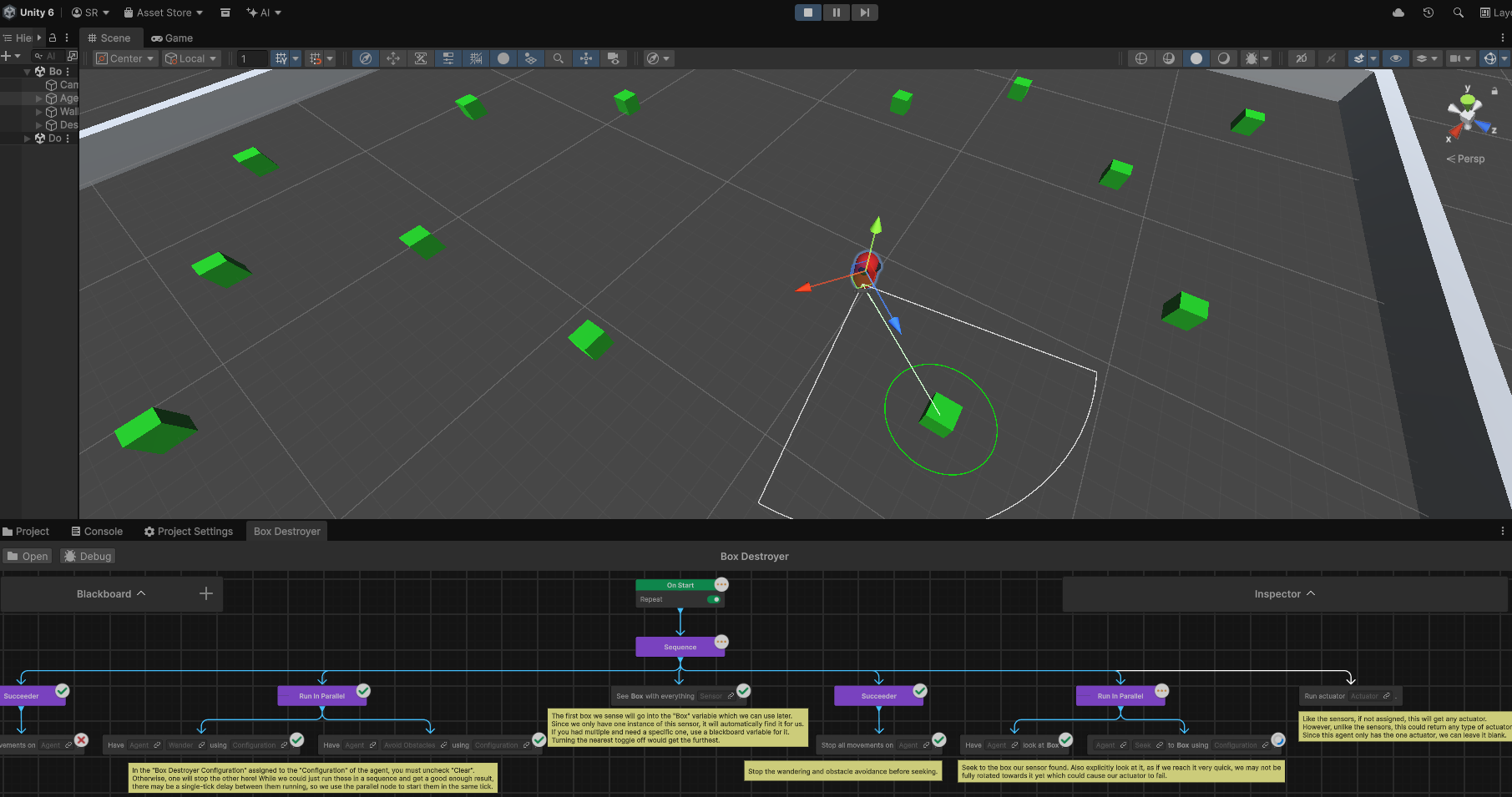
Integration with Unity Behavior
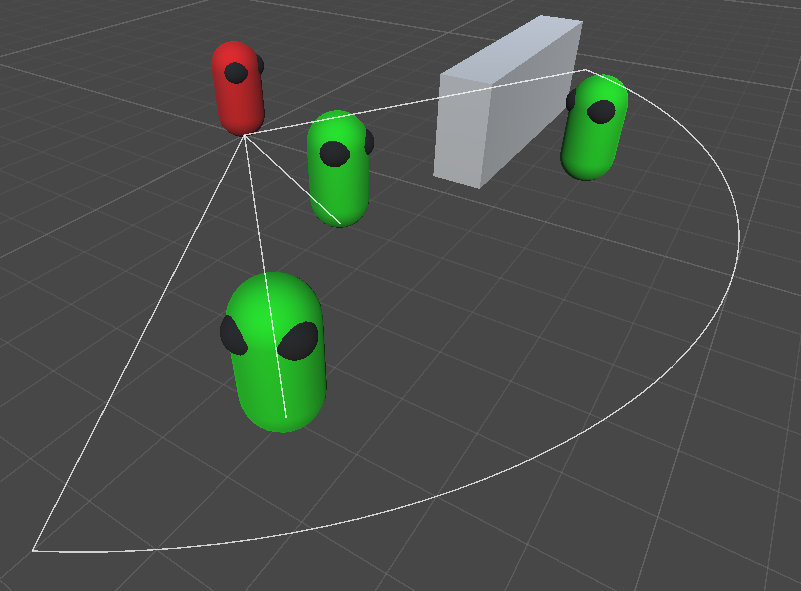
The vision sensor provided with Kaiju Agents.
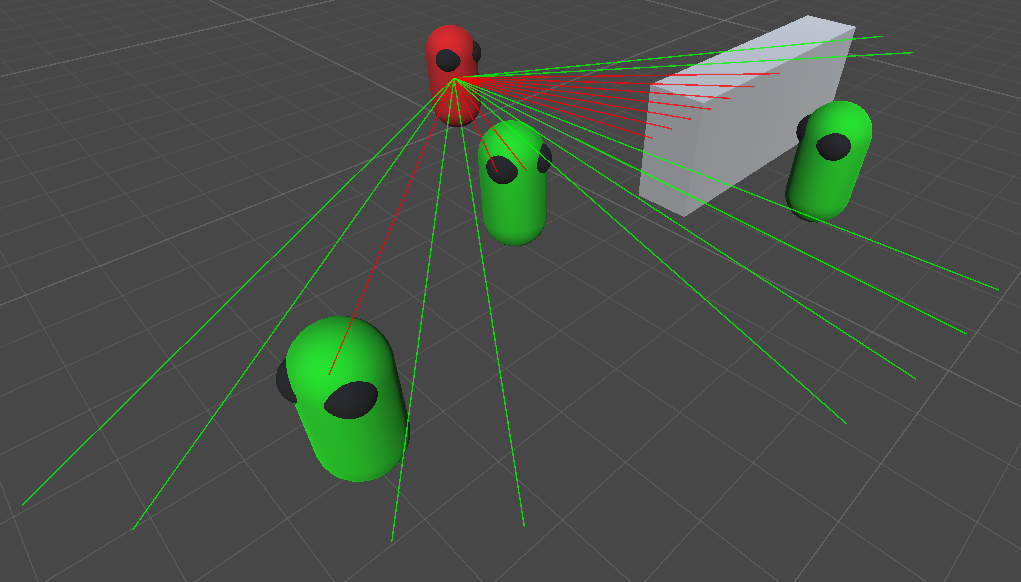
The cast sensor provided with Kaiju Agents.
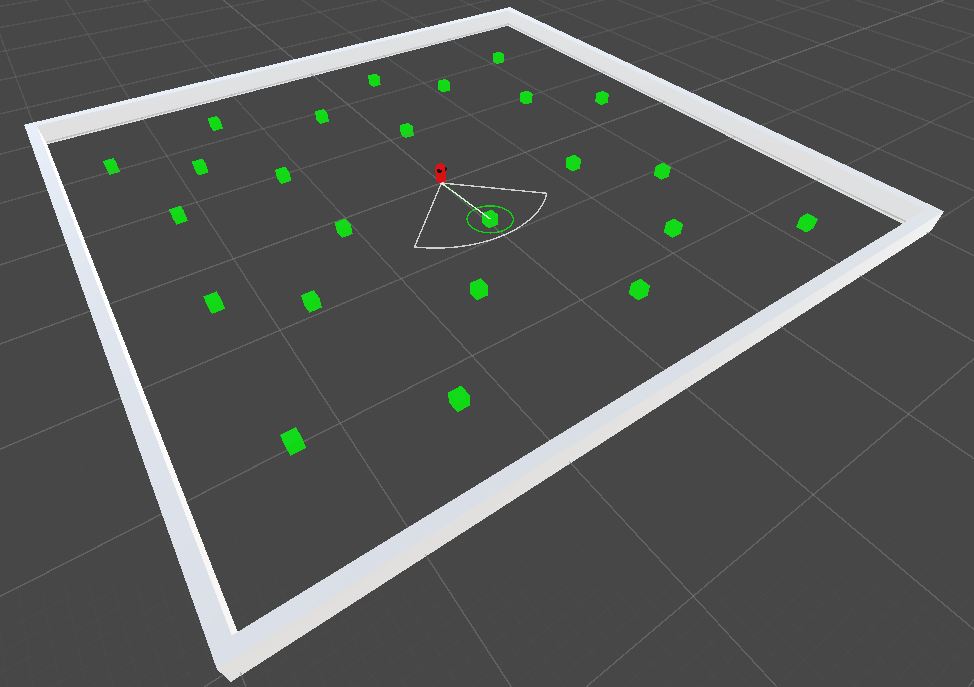
The "Box Destroyer" sample provided with Kaiju Agents.
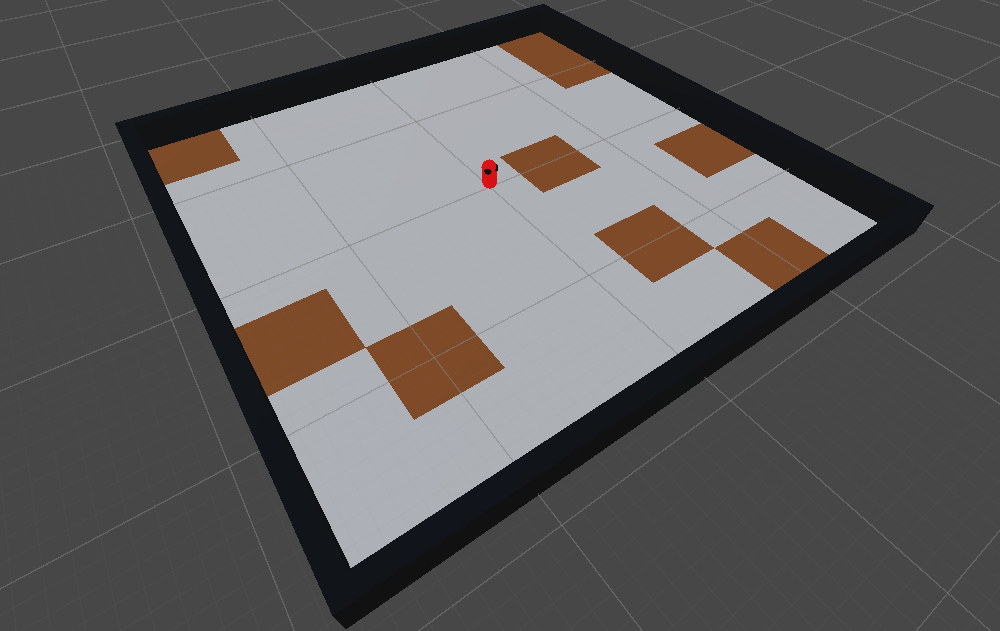
The "Cleaner" exercise provided by Kaiju Agents.
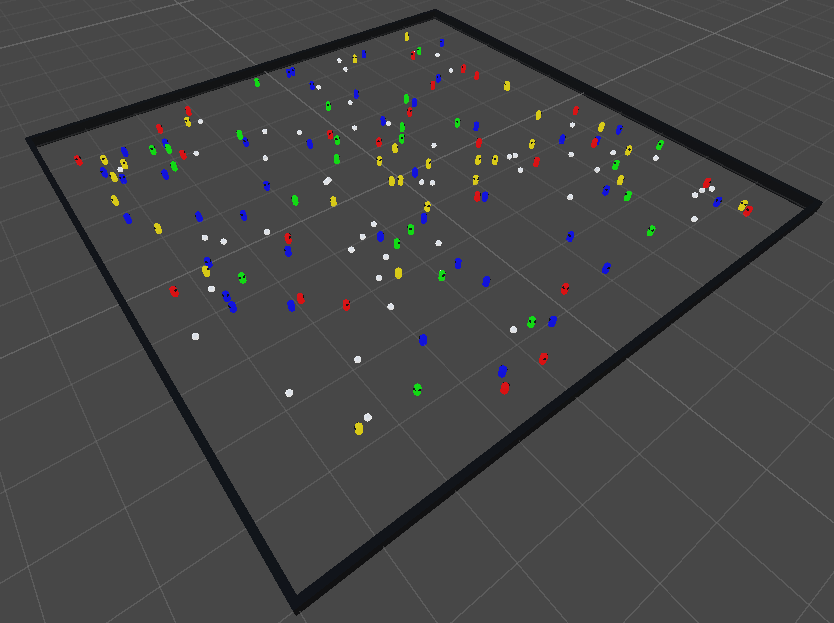
The "Microbes" exercise provided by Kaiju Agents.
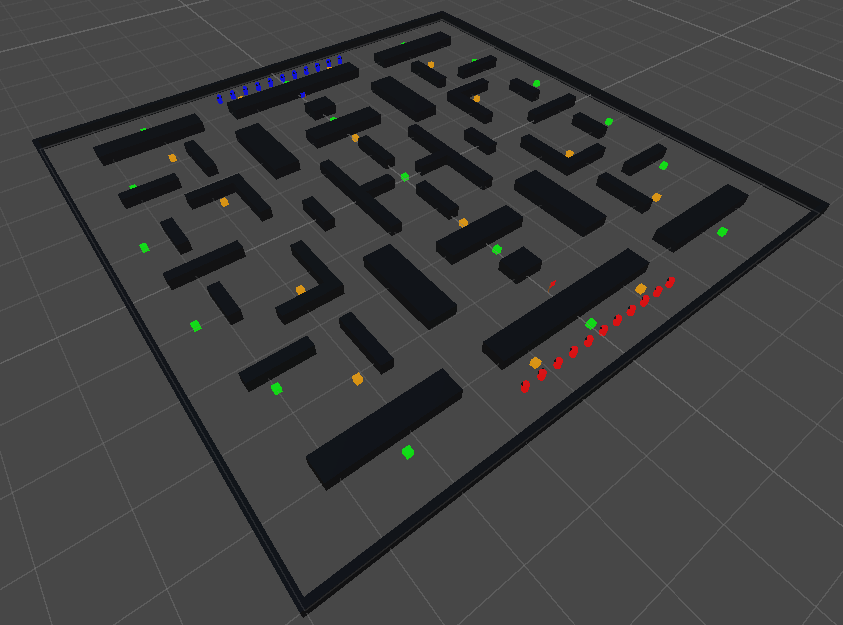
The "Capture the Flag" exercise provided by Kaiju Agents.