Movement
Movements control how agents move through the world. For setting movement behaviours on agents, see the movement section of the agents documentation.
Configuration
A KaijuMovementConfiguration ScriptableObject can be assigned to an agent to control the default parameters of the various movement behaviours. To create a KaijuMovementConfiguration, right click in the project window and go to "Create > Kaiju Solutions > Agents > Kaiju Movement Configuration" and name the file. Then, assign it to your agent in the inspector.
Types
The following movement types are provided with Kaiju Agents. Each has corresponding methods on agent to perform the given movement.
Seek
Move directly towards a target. It is the inverse of flee.
Pursue
Moves towards a target's calculated future position based on extrapolating where it will be in the future given its current and past position. The movement towards this calculated future position is the same as a seek movement. It is the inverse of evade.
Flee
Move directly away from a target. It is the inverse of seek.
Evade
Moves away from a target's calculated future position based on extrapolating where it will be in the future given its current and past position. The movement away from this calculated future position is the same as a flee movement. It is the inverse of pursue.
Wander
This will randomly move the agent based on choosing a random point along a circle's circumference which is projected a given distance ahead of it. This movement towards the random point is the same as seek.
Separation
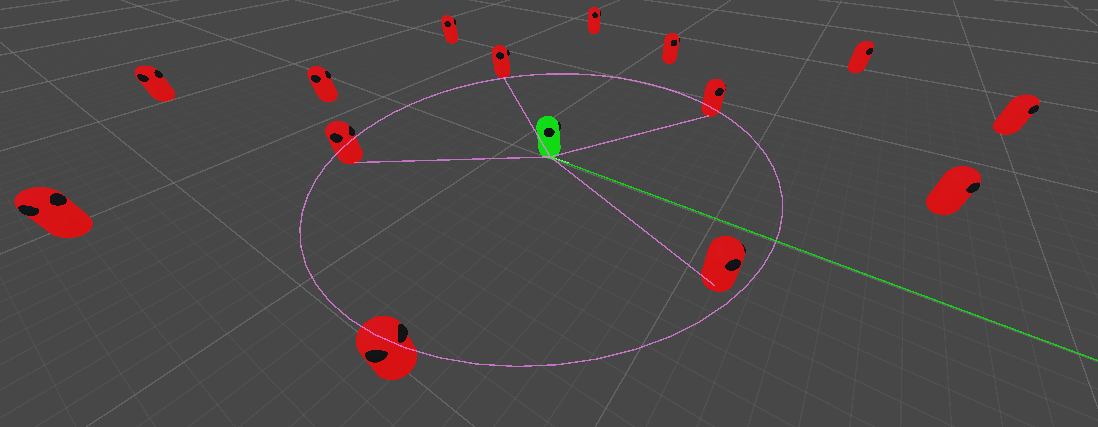
Separation aims to maintain a radius of space from other agents. A position based on all other agents currently currently within its separation radius is calculated at which point a weighted seek is performed to reach it.
Obstacle Avoidance
Obstacle avoidance casts rays to detect obstacles. If one is detected, the normal of the closest ray is used to calculate a point away from the obstacle for the agent to seek to.
Path Following
Path following calculates a path towards a target and the performs subsequent seek movements on each point along the path. This requires navigation data to be baked in the world. To learn more, see the Unity AI navigation documentation.
Preferences
To change the colors of movement visualizations, from the top menu, go to Edit > Project Settings and select Kaiju Agents.